Table of Content
Allow you to easily access your messages, applications, and contacts. Amber, steady—Privacy in use, one-way intercom call, DND active, or signed in to a hunt group. Use session buttons to perform tasks, such as answering a call or resuming a held call.

The voice also reads out incoming Caller IDs, displayed screens and settings, and button functions. If you are on an active call when the connection is lost, the call continues. But, you don't have access to all normal phone features because some functions require information from the call control system.
Secure the Phone with a Cable Lock
This mode increases the number of phone lines that you can see and use. To change the light or the audible voice-message indicator, sign in to the phone support pages and access the message-indicator settings. Feature and line buttons, located on either side of the screen, give you access to phone features and phone lines. After you connect to a speed-dial destination, the phone prompts you to enter any required authorization code, billing code, or additional digits manually.
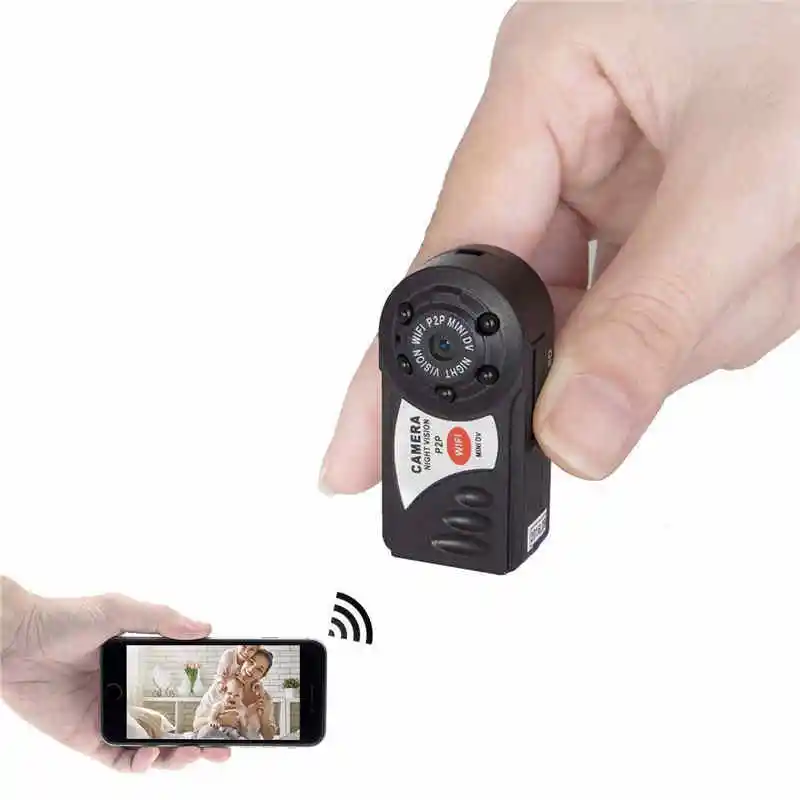
If you move the phone, we recommend that you pack the phone into the original box to protect the camera. For more information, see Protect Your Video Phone Camera. If I make a local call it goes out the FXO card, if I make a ld call it automatically grabs the sip account and uses that. The cisco phones like to use skinny, which requires call manager to tell the phone what to do. The server is setup for all local to go out the analogue and out of town goes out the sip account. But w/ asterisk it seems like the yealinks are pretty much perfect...
Using a Cisco VoIP phone at home
However, the 7911 doesn't have any native VPN support - therefore you will need another device to establish a VPN tunnel back to the CUCM Server. The phone will receive an IP address from your home LAN, and register with CUCM over the VPN. Pro is that you don't need to do anything clever on CUCM.

Chinese users can configure a speed dial button from your phone, if you cannot access the Self Care Portal. Chinese input is based on the Pinyin input method, which is common to PCs and mobile phones in many Asian countries. Of course, the specific steps will vary depending on your setup—you might need to connect your existing phones to VoIP adapters or replace them with IP phones.
How do I connect my Cisco phone to my network?
If your phone is connected to your mobile device or tablet with Bluetooth, only four line keys are available. Your administrator sets up programmable feature buttons on your phone. After the headset or mobile device is paired, the phone connects to the headset or mobile device when the headset or mobile device is turned on. To connect a mobile device or headset to your phone with Bluetooth, start by pairing the device with your phone. You can pair up to 50 mobile devices and Bluetooth headsets with the phone.
Step 2 If prompted, enter your user ID and PIN to map the headset to your user information. You need a new phone that hasn't been connected to the network or previously configured. To a software version that doesn't support the phone model. Your administrator sets up your phone and connects it to the network.
New and Changed Information for Firmware Release 12.1(
After you sign in, the phone adopts your user profile, including your phone lines, features, established services, and web-based settings. Your administrator sets you up for the Cisco Extension Mobility service. Your phone might not have all functions available, based on the way your administrator has set it up. Voice Feedback helps people vision problems to use their Cisco IP Phone. When enabled, a voice prompt helps you navigate your phone buttons, and to use and configure phone features.

Use line buttons to start, answer, or switch to a call on a particular line. Step 3 In the Name field, enter the name of the speed-dial number. Back port —Provides standard device charging as well as fast-charging. In addition, if you have more than one call on a line, either the held icon or the off hook icon change to show the number of calls. Button—Scroll through menus, highlight items and select the highlighted item.
These three large buttons are located to the right of the keypad. Your phone also provides an audible message-waiting indicator. Include all the digits that are required to complete the call. Step 5 Use the navigation cluster and the keypad to select your input. If you unplug your tablet and immediately plug in a USB headset to the phone, a 3-second delay occurs before the phone recognizes the USB headset.
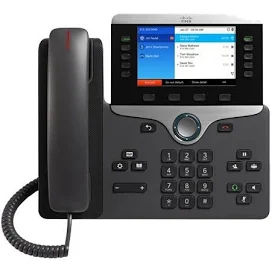
Each label indicates the action for the softkey button below the screen. Adjust the handset, headset, and speakerphone volume and the ringer volume. Cisco IP Phone 7800 Series Buttons and Features The following table describes the Cisco IP Phone 7800 Series buttons and hardware.
The documentation set for this product strives to use bias-free language. Learn more about how Cisco is using Inclusive Language. Your best bet is to get hold of a router/firewall that supports IPSEC LAN to LAN tunnels. For DSL modems, you must use an additional telephone cable to connect the DSL port to a wall jack.

Switching from a conventional phone system to VoIP can seem intimidating, but the transition doesn’t have to be as complicated as it sounds. On the other hand, a physical phone isn’t strictly necessary for a VoIP system. Digital phone apps offer the experience of VoIP without any additional hardware, and these services are typically affordable.
For Cisco Unified Communications Manager (Release 10.0 and later), these pages are the Self Care Portal. For Cisco Unified Communications Manager (Release 9.1 and earlier), these pages are the User Options web pages. The phone can connect to only one paired mobile device at a time.